
Downloads // Free for sim racers
Downloads
Tools we built for our own rigs and streams. Free to download, and built so you can make them yours.
SimHub dash // Stream deck // Music remote
Race Control 3
Turn an iPad into a neon race dash, an OBS stream deck and a music remote, all running from SimHub on your PC. Then put your own name, logo and colours on it.
Needs SimHub (free) on the PC. The installer isn't code-signed yet, so Windows may say "Windows protected your PC". Click More info, then Run anyway.
-
New in 3.1
Stream FX
Big tiered alerts for follows, subs, gifts, bits, raids and hype trains. Crash in iRacing and the screen goes OOPSIE!, SPICY! or I'M COOKED, BRO!, depending on how bad it was. There's a soundboard on the iPad too, plus chat and channel point effects for your viewers, with cooldowns so nobody can spam them. One OBS browser source, all in your brand colours.
-
Race screen
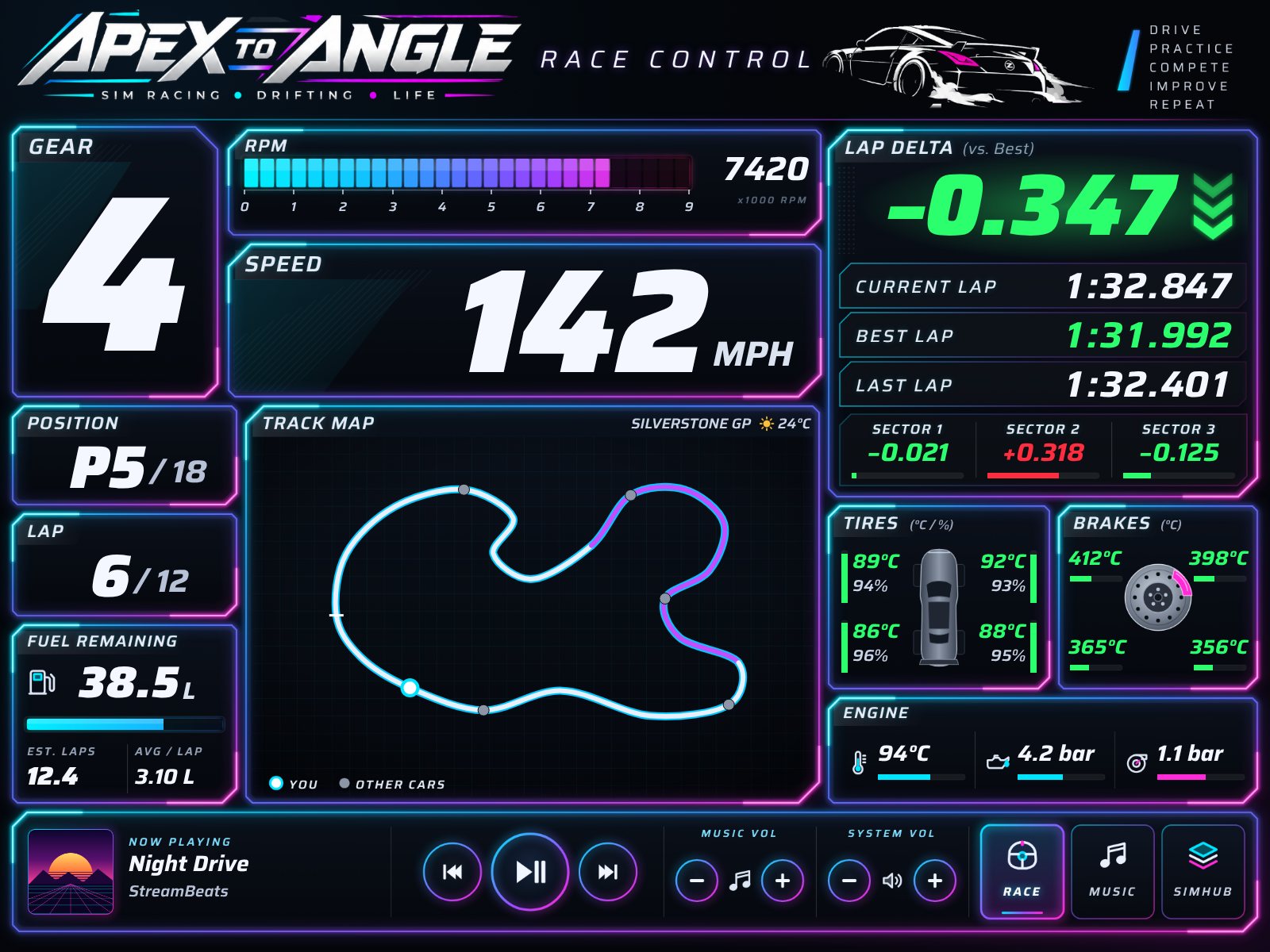
Gear, RPM lights, speed, lap delta, lap and sector times, position, fuel, tyres, brakes, engine and a live track map, straight from SimHub.
-
Music remote
See what's playing in Spotify, iTunes or YouTube Music, with play, skip and separate volume for the music and the whole PC.
-
Stream deck for OBS
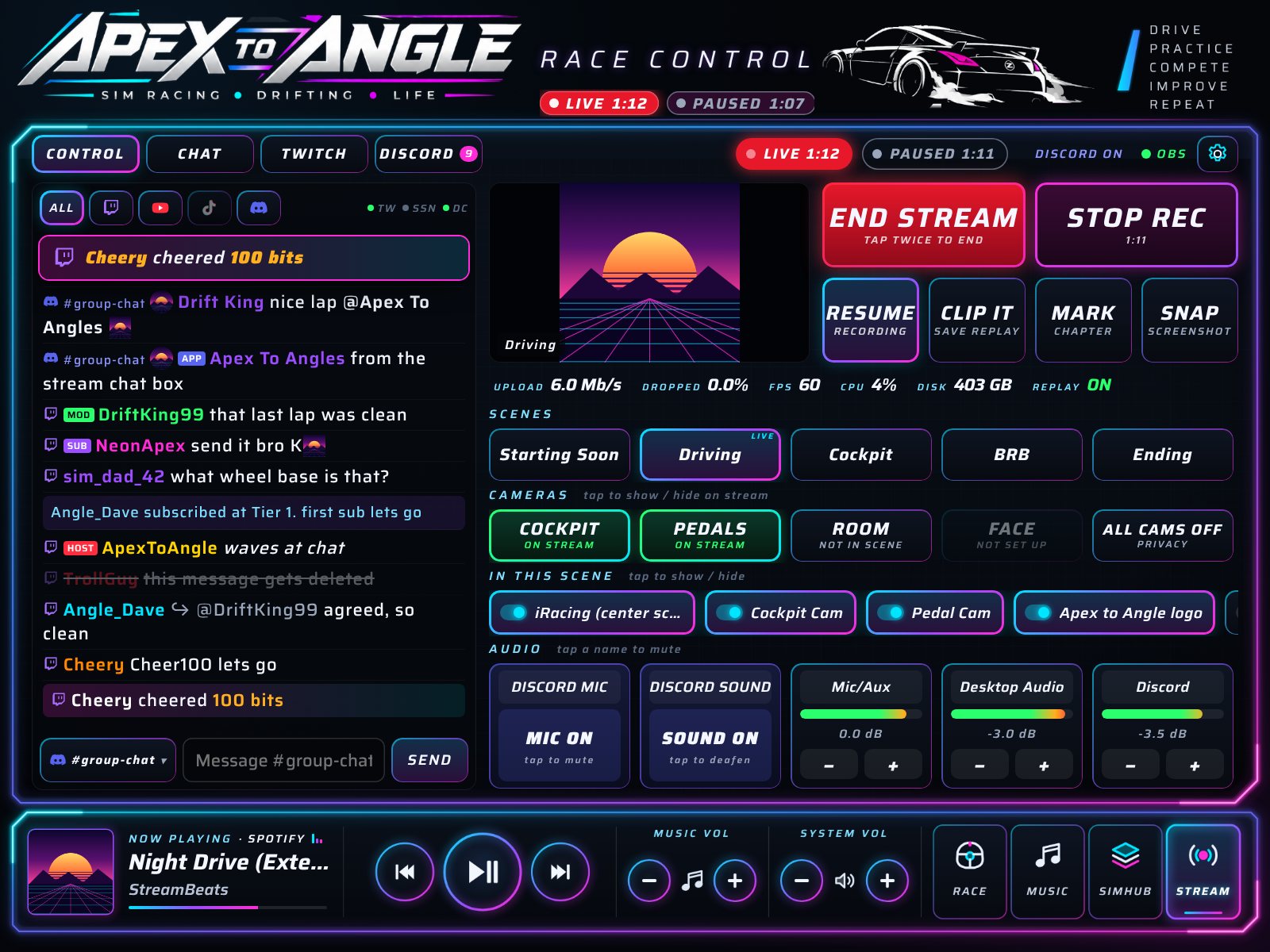
Go live, record, clip, mark, switch scenes, show or hide your cams, mix your audio and watch stream health, all from the iPad.
-
One chat
Twitch, YouTube, TikTok and Discord in one list. Reply, delete, time out or shout out without leaving the rig.
-
Twitch and Discord
Title, tags, ads, polls, predictions, raids and alerts. Discord mute, deafen, who's talking and each person's volume.
-
Make it yours
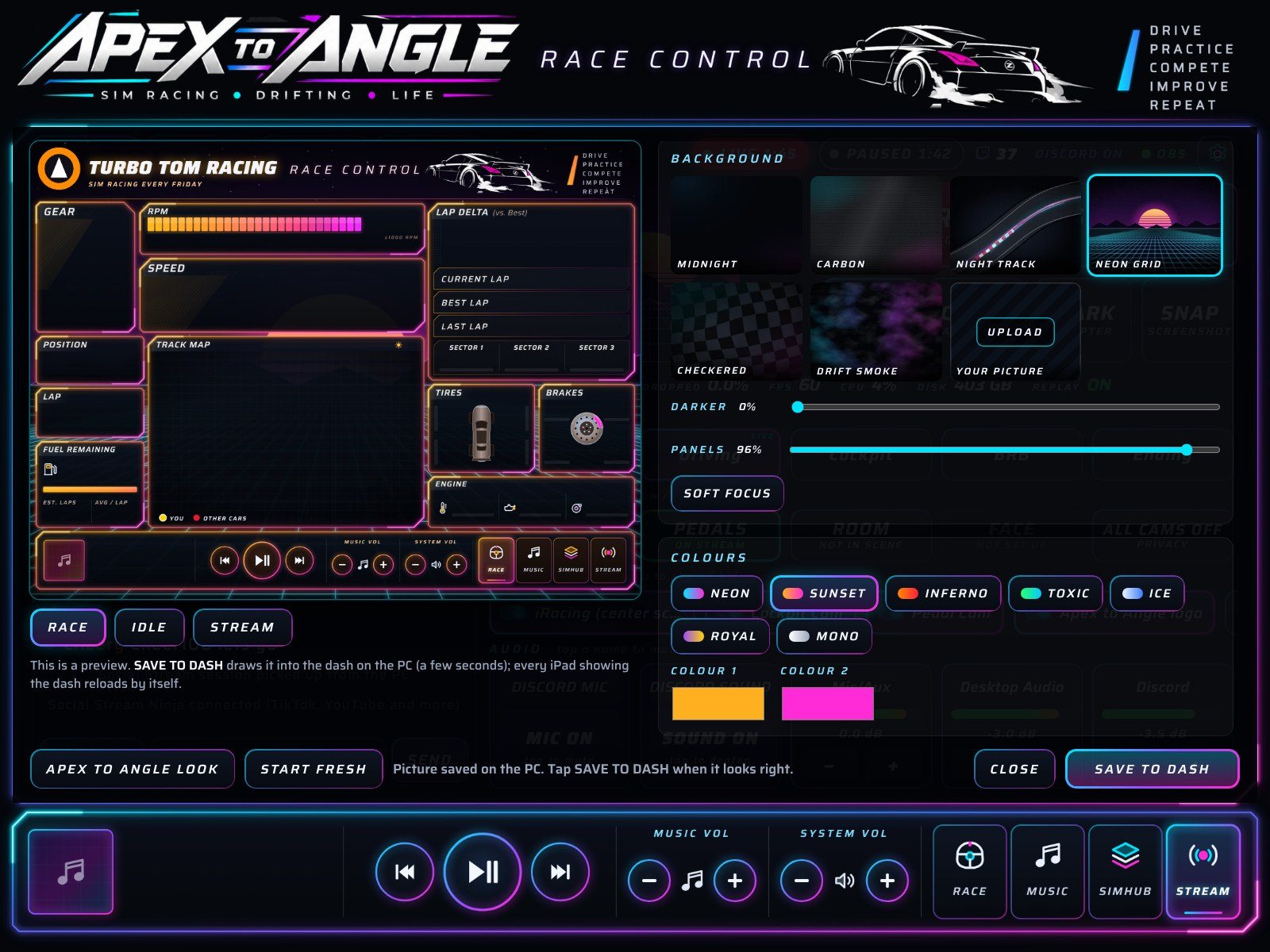
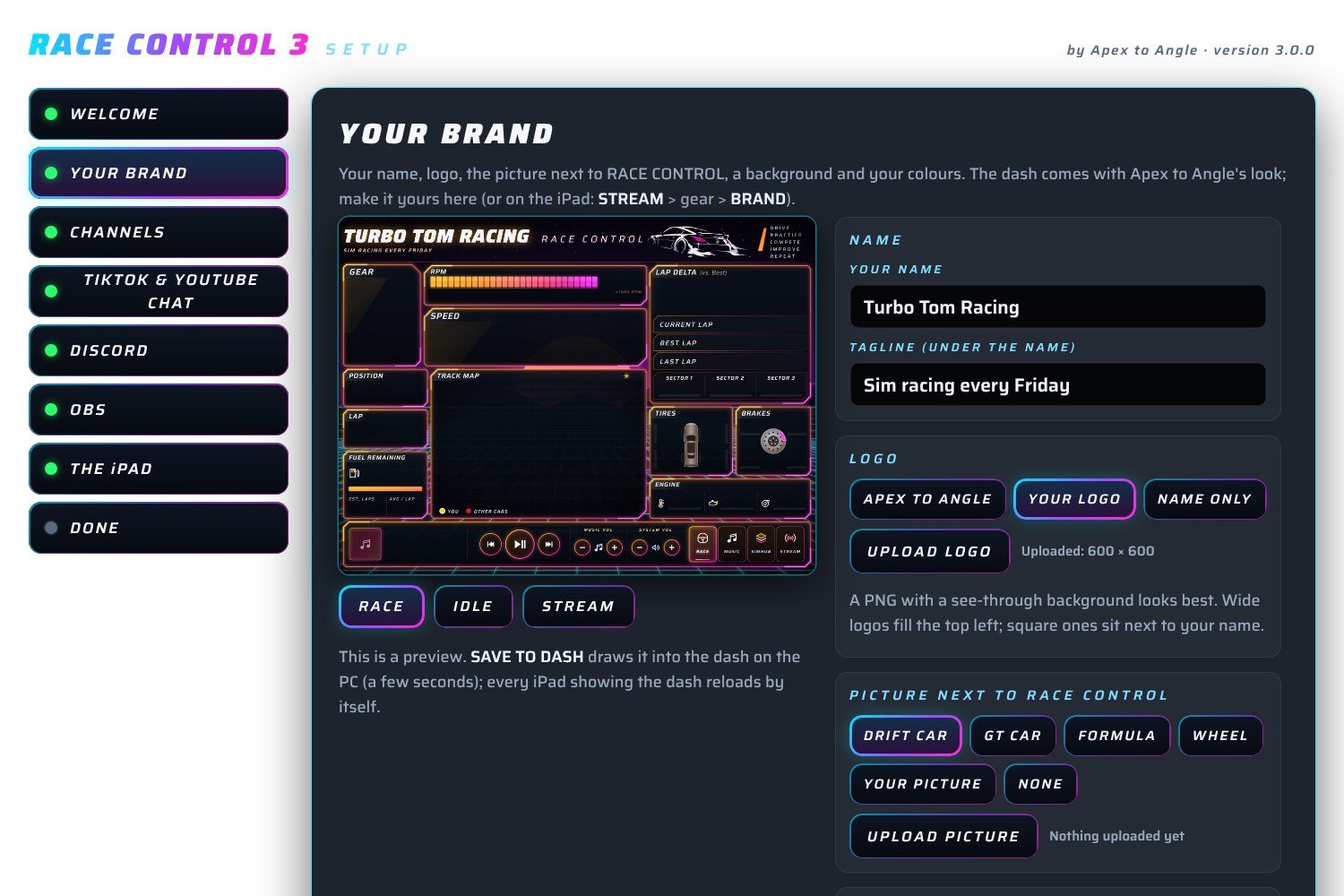
BRAND puts your name, logo, background and two theme colours on the dash. Hit save and every iPad updates by itself.
How it works // PC + iPad + OBS
What it is and how it runs
Race Control 3 is a free race dash and stream deck for sim racers who stream. Your iPad becomes a race display on your rig and the control panel for your whole stream, so you can run the show without leaving the game. It's made of parts that talk to each other over your own Wi-Fi:
-
01
SimHub reads your game
SimHub (free) runs on your PC and pulls live data from your sim: gear, RPM, speed, laps, fuel, tyres and more. Race Control 3 is the dash it shows.
-
02
The PC helper connects everything
The installer adds a small helper that starts with the dash. It links OBS, Twitch, Discord and your music app, runs the setup page and powers Stream FX, including spotting your crashes in iRacing.
-
03
Your iPad is the screen and the remote
Scan the QR code on the setup page and the dash opens in Safari. RACE shows your telemetry. STREAM is your control panel: go live, scenes, cams, audio, every chat, Twitch tools, Discord voice and the FX soundboard.
-
04
OBS puts it on stream
Add one browser source and Stream FX plays on top of your game: alerts for follows, subs, bits and raids, the OOPS effect when you crash, and effects your viewers fire from chat and channel points, with cooldowns.
Nothing runs through our servers. The iPad talks straight to your PC over your Wi-Fi, your sign-ins stay on your devices, and nothing is sent to us.
Install in 3 steps
- Install SimHub (free, simhubdash.com) and start it once.
- Run the installer. Leave both boxes ticked at the end: SimHub restarts and the setup page opens.
- Follow the setup page: your brand, your channels, OBS and Stream FX, then scan the QR code with the iPad. In Safari, tap Share > Add to Home Screen for full screen.
What you need
- A Windows 10 or 11 PC running SimHub
- An iPad on the same Wi-Fi (laid out for an iPad's 4:3 screen; any browser can open it)
- Optional: OBS Studio 28 or newer for the stream controls and Stream FX
- Optional: Social Stream Ninja (free) for TikTok and YouTube chat
- Optional: the Discord app on the PC for voice controls
Good to know
- Works with the games SimHub supports, from iRacing and ACC to Le Mans Ultimate, AMS2 and F1.
- Everything runs on your own PC and iPad. Your sign-ins stay on your devices, and nothing is sent to us.
- If Discord says the app isn't available for your account, the setup page walks you through making your own (free, about 5 minutes).
- Stream FX alerts for subs, bits, raids and chat commands work from OBS on their own. Follows, hype trains and channel points also need the iPad signed in to Twitch with the STREAM page open.
- Updating: run the newer installer and your settings and brand stay. Uninstall from Windows Settings > Apps.
Check your download. SHA-256 of RaceControl3-Setup-3.1.0.exe:
fc49bb989f3346555f7ffb0cce3418e43bda5b8ae7deaad60fee8db742051f97Use at your own risk. Race Control 3 is free software, provided "as is" and "as available", without any warranty of any kind, express or implied, including fitness for a particular purpose. To the fullest extent allowed by law, Apex to Angle and its crew are not liable for any damage, loss or problem arising from downloading, installing or using it, including lost data, lost or interrupted streams, account issues, or problems with your PC, SimHub, OBS, Twitch or Discord setup. It also has no official support: we help when we can on Discord, but can't promise fixes or response times. By downloading or installing it, you accept these terms.
Race Control 3 is made by Apex to Angle. It isn't made by or affiliated with SimHub, OBS, Twitch, Discord or Apple. Questions or ideas? Ask us on Discord or email apextoangle@gmail.com.
More on the way // Overlays, setups, tools
Got an idea for the next one?
We build what we use on our own rigs. Tell us what you want next and come hang out while we build it.